


Auto Agent
4.81.10K Reviews
App Specs
- Version
- 1.35.1
- Updated On
- License
- Free
- Downloads
- 100,000+
- Developer
- EZ LYNK
- Categories
- Auto & Vehicles
- Platform
- Android
Screenshots
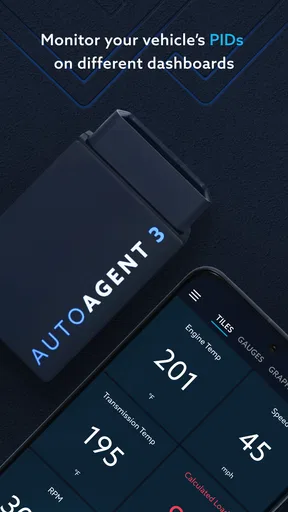
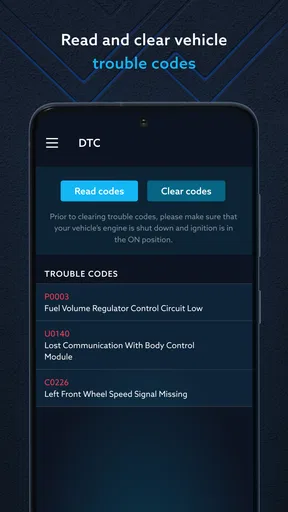
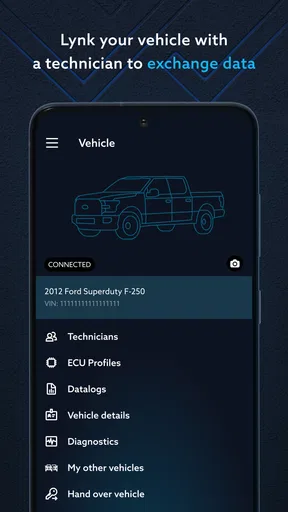
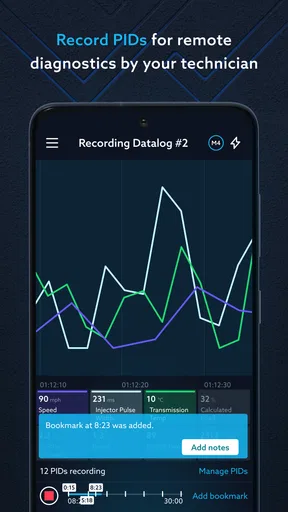
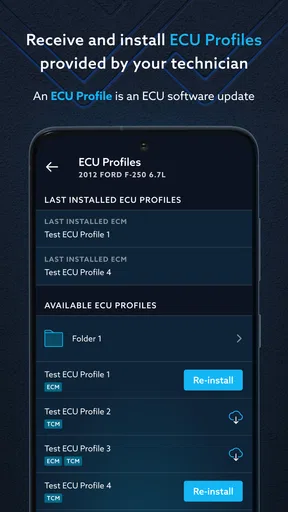
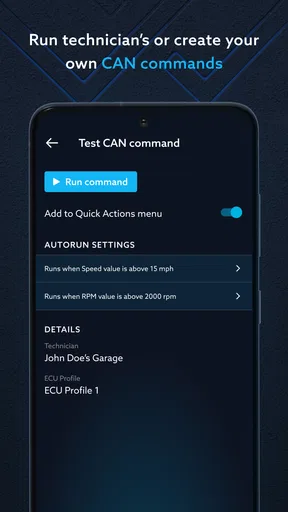
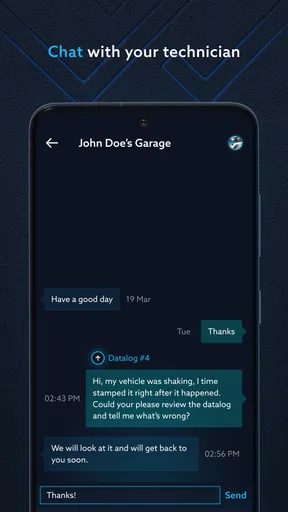
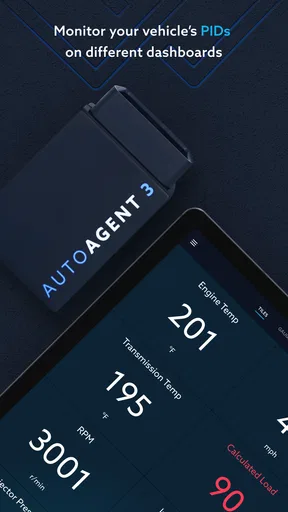
 Analysis by AppCompare
Auto Agent is easiest to understand as a companion for drivers who want more than a dashboard warning light when something feels wrong. I’d consider it when I want to look into a vehicle’s condition, explore diagnostic information, or handle vehicle reprogramming through a connected setup. That focus makes it quite different from a general car logbook: it is built around interacting with a vehicle, not simply recording fuel stops and service dates. My main advice is to check that the app and its required connection method suit your particular vehicle before relying on it.
What I’d check before relying on it
The practical value of a vehicle app depends on the match between the software, the car, and the equipment needed to connect them. Before planning a diagnosis or reprogramming task, I’d confirm compatibility for the exact vehicle and understand what the connection process requires. A familiar-looking app icon alone does not guarantee that every function will work with every car.
I’d also separate information that helps me investigate a problem from work that should be handled by a qualified technician. A diagnostic result can give me a useful starting point for a conversation at a repair shop, but it is not automatically a complete explanation of a fault. Reprogramming deserves extra care: I would not treat it as a casual experiment or start it while rushed, unfamiliar with the process, or unsure whether the selected action is appropriate for the vehicle.
Where it can earn a place in a driver’s routine
For an owner who likes to stay involved in vehicle upkeep, the appeal is having a direct way to monitor and diagnose rather than waiting until a warning becomes impossible to ignore. I can see the app being useful before a planned service visit: check the vehicle, note what seems abnormal, and bring a clearer account of the issue to the mechanic. That does not replace inspection, but it can make the first conversation more focused than “the car feels a bit off.”
A realistic use case is a warning light appearing on the way home. Once safely parked, I could use a compatible setup to investigate what the vehicle is reporting, then decide whether to arrange service promptly or ask a professional to interpret the result. The key benefit is not pretending a phone can repair everything; it is having a more informed next step. I would never diagnose or adjust the vehicle while driving, and I would avoid making a reprogramming decision based only on a guess.
It is less compelling for someone who only wants reminders for routine servicing or a simple record of expenses. A maintenance notebook or a basic vehicle-history app may be more straightforward for those jobs, without requiring a vehicle connection. Auto Agent makes more sense when monitoring, diagnosis, or reprogramming is genuinely part of what the owner wants to do.
How it differs from ordinary car apps
Many apps in the automotive category concentrate on trip records, fuel spending, parking, or general maintenance organization. Auto Agent’s stated purpose sits closer to vehicle diagnostics and reprogramming. That distinction is useful when choosing: it is not the first option I’d pick for comparing petrol costs or keeping a family’s service receipts in one place, but it may be more relevant to a driver who wants a closer technical relationship with a supported vehicle.
Worth Reading Before You Choose

EA SPORTS FC Mobile 26 Is a Bigger Football Game, but It Takes Time

Flipboard Shows What News Apps Must Do Beyond the Feed

Switching to Android Auto Means Rethinking Your Driving Routine

Google Calendar Makes a Crowded Week Easier to Manage

Ludo King Makes the Most of the Minutes Between Plans

Baby Panda World Brings Quick Play to Modern Phones, but Its Game Library Feels Busy
The trade-off is that a more technical purpose can mean more responsibility for the user. A reminder app usually has little power to change how a car behaves; a tool associated with reprogramming calls for careful reading and restraint. I’d approach it as a vehicle-focused tool, not as an invitation to change settings just to see what happens. If I only need a mechanic to identify and fix a fault, booking a professional diagnosis may be the safer and simpler choice.
Getting Started with Auto Agent
First things first, getting started with Auto Agent is a breeze. I downloaded it from the app store, and within minutes, I was poking around its features. The interface is super user-friendly—everything is laid out in a way that even my grandma could figure out. The app walks you through the setup, helping you input all your car’s details without breaking a sweat.
The app syncs with your car via a small device that you plug into your vehicle’s OBD-II port. It's as simple as plugging in a phone charger, and once that’s done, you’re ready to roll. The connection is seamless, and I didn’t experience any hiccups while syncing. It’s like magic when your car’s data pops up on your phone.
Features That Stand Out
Now, let’s talk features. What impressed me most is how Auto Agent gives you real-time data about your car’s performance. It’s like having a mechanic in your pocket. From engine diagnostics to tire pressure and fuel efficiency, everything is at your fingertips.
One feature I particularly loved is the maintenance reminders. Seriously, how many of us forget to change the oil or schedule a check-up? This app sends gentle nudges when it’s time for your car’s next service. It’s like having a responsible friend who actually remembers stuff.
Another cool aspect is the driving analysis. The app tracks your driving habits and gives you tips on how to improve. It’s great for anyone looking to save on fuel or become a more eco-friendly driver. Plus, it can help you avoid those annoying speeding tickets by showing you when you might be pushing the limits.
The Community and Support
One of the things I didn’t expect was the community feature. Auto Agent connects you with fellow users, allowing you to share tips and experiences. It's like a social network for car lovers. And if you ever run into trouble, the app’s support team is just a click away. They’re super responsive and ready to help with any issues you might have.
Using diagnostic information wisely
For me, the most useful way to handle a diagnostic result is to treat it as a clue, not a verdict. If a reading appears, I’d record the circumstances—whether the warning was already on, whether the vehicle felt different, and when it happened—before deciding what to do. That context is useful when speaking with a technician and can help avoid jumping from one reading to an unnecessary repair.
I’d also make changes one step at a time. If a vehicle-related task involves reprogramming, I would first make sure I understand what the action is intended to do and whether it is appropriate for the specific vehicle. Keeping a note of what I checked and when gives me a simple reference if a symptom changes. This careful workflow is less exciting than experimenting, but it is the sensible way to use a tool connected to a car’s systems.
Who is most likely to appreciate it
I can see it suiting owners who are comfortable with vehicle technology, want to investigate issues before a workshop visit, or have a supported vehicle and a clear reason to monitor it. It may also appeal to someone who prefers to understand what is happening rather than rely only on a dashboard light. The best fit is not necessarily a professional mechanic; it is a driver willing to learn what the readings mean and to ask for help when they reach the limits of their knowledge.
On the other hand, I would skip it if I wanted a universal tool that promises the same functions on every car, or if I had no interest in connecting an app to the vehicle. A driver who only needs a calendar reminder for an oil change will probably be happier with a simpler option. And if a fault affects safe driving, the priority is professional advice or roadside assistance, not spending time trying to interpret an app in an unsafe situation.
Choosing a setup and managing expectations
Before installing, I’d check the vehicle fit and the practical requirements for connecting. That is the question most likely to determine whether the app becomes part of my routine or sits unused. I’d also think about who will use it: if several people share the car, agree on who handles checks and records results, rather than letting different drivers make changes without knowing what the others did.
Cost is another sensible part of that decision. Auto Agent is free to download, while it also offers in-app purchases ranging from a small amount to a much higher amount per item. I would look carefully at what a purchase covers before confirming it and distinguish app access from any separate equipment or service needs. That avoids assuming that “free” means every vehicle-related task or accessory is included.
The app is rated for everyone and has a strong average score from thousands of ratings, with more than a hundred thousand installs. Those figures suggest that it has found an audience, but they do not answer the compatibility question for an individual car. I’d still base my decision on whether its functions fit my vehicle and my comfort level with diagnostics, rather than treating popularity as a guarantee.
Version, experience, and what I’d watch
Auto Agent is developed by EZ LYNK. Its current version is 1.35.1, following an initial release on September 20, 2016, and it runs on Android 6.0 or later. That history gives the app an established presence, but a version number alone does not tell me exactly which changes have arrived or how they affect a particular vehicle. I would judge an update by the experience it delivers on my own setup, not by assuming that a newer version automatically expands compatibility.
For existing users, the sensible habit is to check that the app and the connected vehicle setup still behave as expected after an update, especially before a task that could affect vehicle configuration. I’d avoid starting anything important when I have no time to deal with a connection problem or seek help. What I’d watch over time is whether the app remains clear about the steps involved and whether it continues to fit the vehicles and workflows its users depend on.
A measured recommendation
In a nutshell, Auto Agent is a game-changer for vehicle management. It’s packed with features that make keeping track of your car’s health and performance incredibly easy. Whether you’re an automotive aficionado or just someone who wants to avoid unexpected breakdowns, this app is definitely worth checking out.
So, if you’re ready to take control of your car maintenance and drive smarter, give Auto Agent a try. You’ll wonder how you ever managed without it!
Pros
- User-friendly interface simplifies navigation.
- Real-time updates keep information current.
- Customizable notifications enhance user control.
- Comprehensive analytics for informed decisions.
- Seamless integration with multiple platforms.
Cons
- Limited offline functionality may hinder access.
- Occasional lag with large data sets.
- Subscription model might be costly long-term.
- Initial setup can be time-consuming.
- Requires constant internet connection.
FAQs for Auto Agent
What is Auto Agent and how does it work?
Auto Agent is a revolutionary app designed to streamline vehicle management for car owners and enthusiasts. It provides real-time diagnostics, maintenance reminders, and performance tracking. By connecting to your vehicle's onboard computer via Bluetooth, Auto Agent offers detailed insights into the health and performance of your vehicle, helping you maintain it efficiently.
Is Auto Agent compatible with all vehicles?
Auto Agent is compatible with most OBD-II compliant vehicles, which generally includes all cars manufactured after 1996. However, compatibility can vary based on the model and make of the vehicle. For optimal performance, users should check the app's compatibility list on the official website or app store before downloading.
What are the main features of Auto Agent?
Auto Agent offers a variety of features including real-time vehicle diagnostics, fault code reading, fuel efficiency tracking, and scheduled maintenance alerts. Additionally, it provides customizable dashboards and comprehensive reports, enabling users to monitor their vehicle's performance and health comprehensively. These features help prevent potential issues and optimize vehicle maintenance.
Does Auto Agent require any additional hardware?
Yes, to use Auto Agent, you will need an OBD-II adapter that connects to your vehicle's diagnostic port. This hardware is necessary for the app to access the vehicle's data and provide accurate diagnostics. Users can purchase this adapter separately, and the app provides recommendations for compatible devices.
Is the data collected by Auto Agent secure?
Auto Agent prioritizes user privacy and data security. The app employs advanced encryption methods to ensure that all data transmitted between your vehicle and smartphone remains secure and private. Additionally, users have control over their data, with options to manage and delete their information as needed.


